
A few months back, I had about $200 worth of Azure credits for the month, so I decided to use it to deploy a Large Language Model (LLM) as an online real-time endpoint to make API calls for a personal project. I thought this was better economically, since I had the credits, instead of paying per token use on the LLM API services directly.
At least, that was my thought.
So I sought out to download the models; in this case, I decided on the llama 3.2-1B model. I began by applying for access to the model on Hugging Face, as it’s not a public model. That got accepted really quickly. I then downloaded the model weights to my local directory, uploaded the model to Azure as a data asset, and registered the model asset. Then, I created a new endpoint in my Azure environment, and deployed the model to a realtime endpoint.
And voila, I had deployed the model to the endpoint!
I felt so proud of myself and impressed for finally getting to this stage, as this took me days, with different bugs to fix in between.
However, that deployment was my first mistake.
Due to how large the llama3.2-1b-instruct model is, I had requested a higher capacity VM (SKU Standard_DS3_v2) when deploying the endpoint. This has a higher cost per hour (which I didn’t take note of), and for running an online endpoint, you’re billed per hour 24/7, whether the endpoint is being called or not. That was a great mistake on my part to not realize that.
Also, I did not set billing alerts, neither did I check my billing periodically. Thankfully, I had set a billing limit per cycle, so my subscription got deactivated once the limit was reached to cap the bill racking up. However, deactivating the subscription affects the reliability of the service since everything is shut down and unavailable until the billing cycle resets.
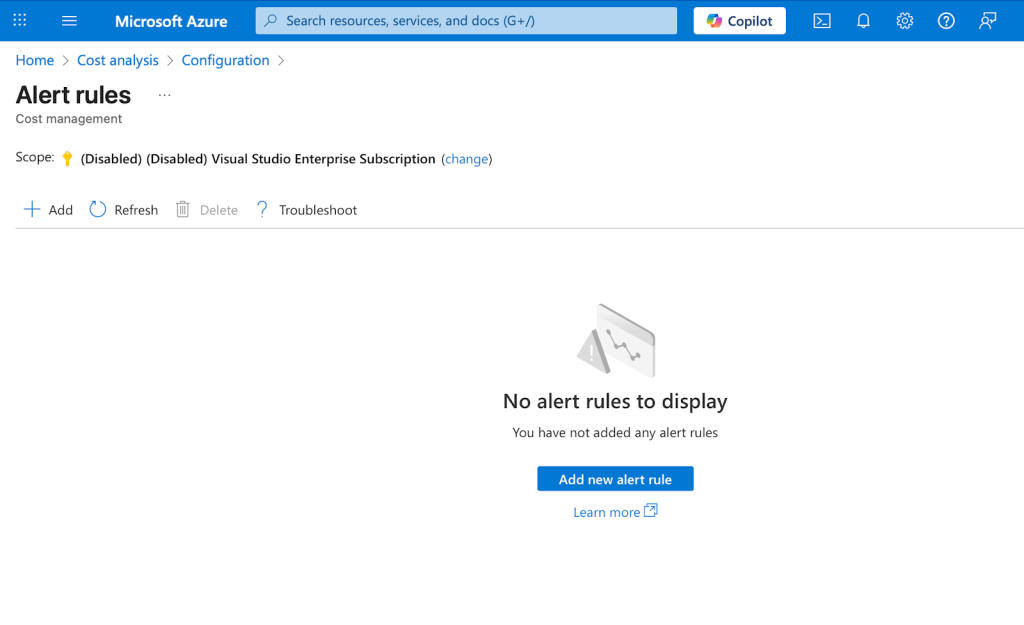
To be honest, I didn’t know my subscription was deactivated for many days; so you can imagine my shock when I logged onto Azure after a couple of weeks to pick up on the project and I saw my subscription was deactivated and there were no notebooks in my workspace either. Thankfully, this was for a personal project in the ideation phase, not in production, so no end-users were affected.
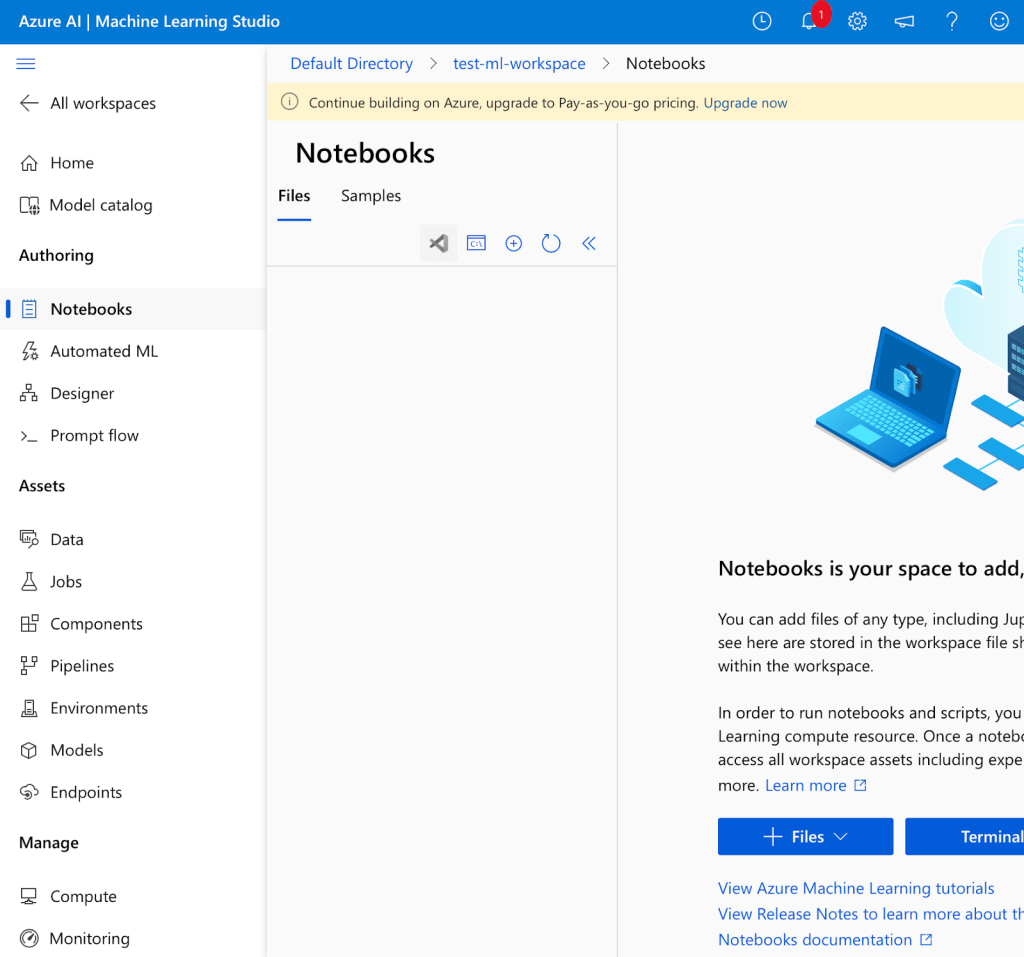
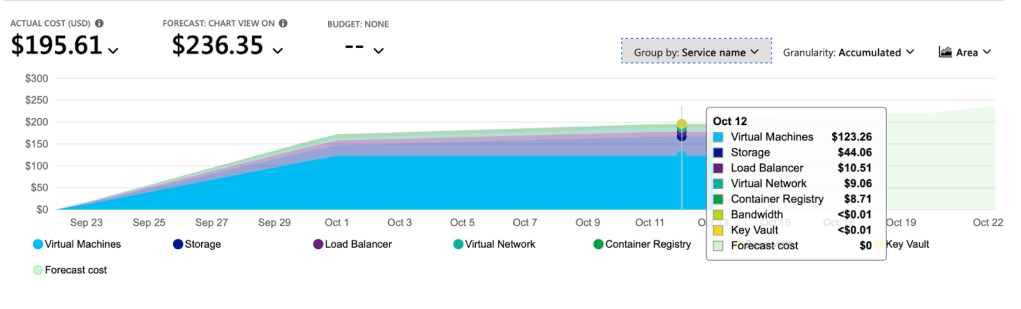
I was asked to upgrade to a Pay-As-You-Go pricing and add a card to be charged, to be able to access my files. I immediately went to the Cost/Billing section of my account and what I saw shocked me.
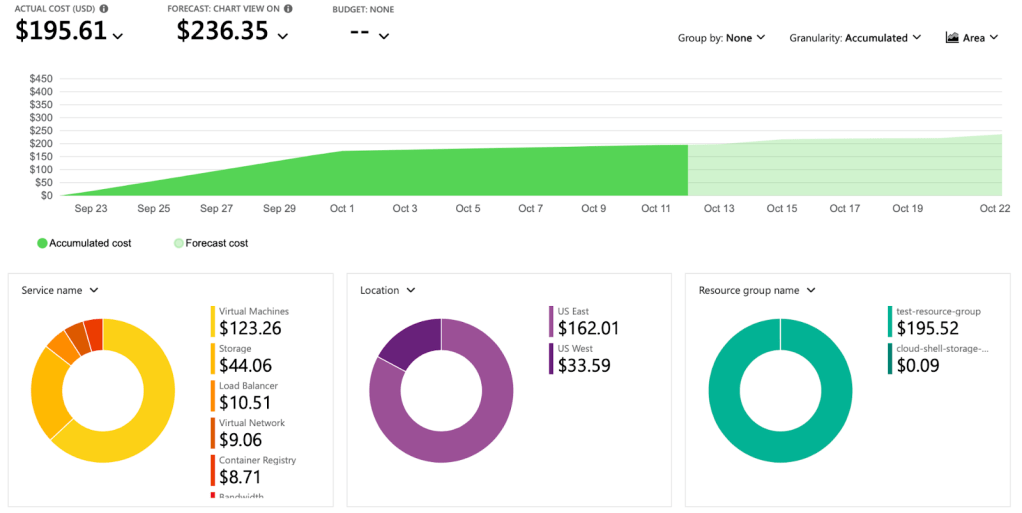
I had spent almost $200 within a few days, with most of the cost coming from the Virtual Machine service. The forecasted cost was going to be over $200 at the end of the cycle, so that’ll mean I might have a bill to settle. Thankfully, the billing limit I set disabled the subscription to avoid an even bigger bill at the end of the cycle, and I was able to delete the very expensive resources, and set up billing alerts properly to be more informed going forward.
Well, now that I have realized my mistake and fixed it, how can I avoid this from happening again in the future? Because who knows, next time, the bill might be worse.
Here are what I should have done differently to avoid this high cost:
- Use models directly on Azure: Azure already has many LLMs already set up on the Azure service, which you could deploy and call from your programs. These model calls are charged per call to your Azure billing, at an affordable rate currently (~$2.50 per million input tokens and $10.00 per million output tokens for GPT-4o, and even cheaper for the mini models). This way you’re able to get real-time on-call access to the LLM without racking up a high hourly rate on expensive virtual machines. You only pay per call, a very good way, or prototype and test out ideas.
- Deploy the model as a serverless endpoint: As opposed to deploying an online realtime endpoint, you could consider deploying a serverless endpoint. A realtime endpoint runs continually in the background, even when not used or called. Usually, for most products, you might not need this. You probably don’t need your product running inference continually in the background. Deploying the model as a serverless endpoint is a more cost-effective option, where the model is deployed as a dedicated API and charged pay-as-you-go per API call. This way you don’t have to handle the infrastructure setup and you don’t get charged 24/7 for other services like virtual machines.
- Use LLM API services: If you have access to LLM APIs directly or via a service like Hugging Face, you can use your token or secret key to access these LLMs and make calls to the API to use the LLMs in your programs.
- Local deployment on my PC: Some models (like llama3) can be downloaded locally and deployed locally on your computer, preferably a computer with a GPU. This way you’re able to access the LLM and make model calls for free. If you don’t have a computer with a GPU, you can run some models on your CPU machine. This could be very slow, but it’s possible, and smaller/quantized models are faster.
- Set and monitor alerts: Finally, it is best practice to set alerts and monitor these alerts via the communication channel (either via email or on the cost/billing dashboard) to see when the costs on your Azure subscription get to certain thresholds. This way, you can manage your resources efficiently without necessarily having to disrupt/deactivate your services.
CONCLUSION
While this mistake delayed my project plans, with the subscription staying deactivated for ~3weeks, this was a very interesting and important lesson for me to learn, and I’m really glad it was not a more costly mistake.
I’ll keep playing around with LLMs, Azure, and other AI applications, and I look forward to sharing my experiences, lessons, mistakes, and growth over time. Please let me know any suggestions you have, or if there’s anything you think I really need to be aware of or try out.
Thank you for reading.
Aniekan
#Azure #CloudCosts #AzureBilling #AI #DataScience #LessonsLearned
 Aniekan's blog